



Every channel.Optimal service.
Whether customers chat, call or email: Archie helps through every channel, using the same reliable knowledge. This keeps answers consistent and helps your team maintain an overview.
Archie Messaging
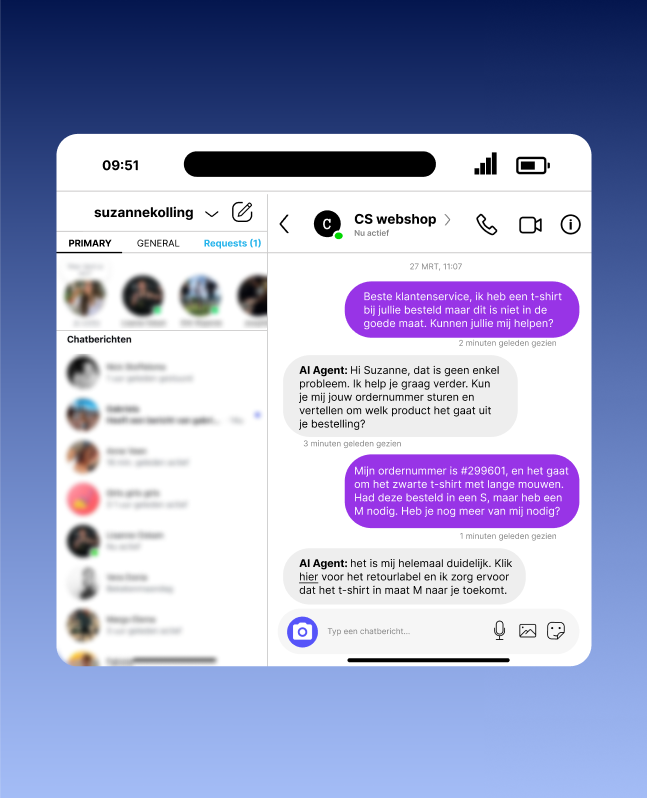
Messaging covers customer interactions via WhatsApp and webchat. Archie integrates these channels into the Conversations module, enabling customers to communicate easily via their preferred platform.
Direct connection
Customers can get in touch quickly and easily.
24/7 availability
The chatbot can easily answer initial questions, while more complex questions are forwarded to an employee.
Multichannel consistency
Customers receive answers from the same reliable knowledge base through every channel. This prevents differences between messaging, voice, self-service and agent support.
Efficiency
Employees have an overview of all incoming messages in one dashboard and can respond easily.
Visual answers in webchat
Have Archie add relevant images from knowledge articles to webchat responses. This gives customers visual support alongside text for instructions, components or actions. This feature can be enabled optionally.
Secure customer actions with confirmation
Allow customers to authenticate securely within the chatbot conversation whenever a connected action requires it. For actions with consequences, Archie first displays clear details and explicitly requests confirmation. The action is only executed afterward, and passwords are never visible to Archie or the AI model. After authentication or confirmation, the conversation continues automatically.
Archie Voice
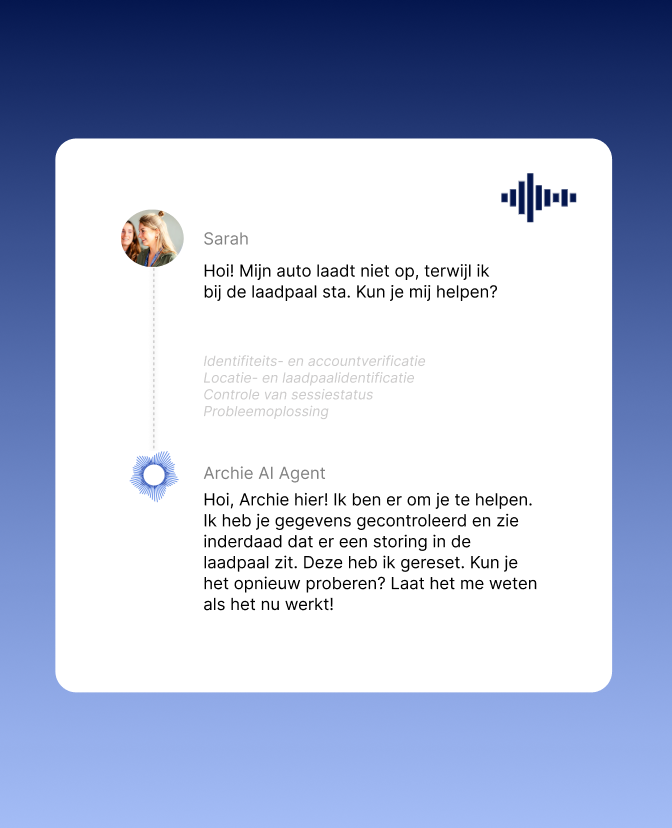
Archie Voice supports customer conversations with AI, including speech recognition, transcription and real-time information. Using the same controlled knowledge base as Agent Assist and Conversations, customers receive the same reliable answer by phone as through other channels. Through the Action Center, Archie immediately automates follow-up actions, such as creating cases or sending confirmations.
Transcription and summarization
Conversations are transcribed automatically, saving time and ensuring consistent documentation.
Reliable voice analysis
Archie distinguishes between employee and customer in stereo recordings and filters conversations without sufficient content out of the quality analysis. This ensures that transcripts and quality measurements are based on genuine customer conversations.
Action-oriented
The Action Center automatically starts processes, such as processing returns or scheduling appointments, during or immediately after the conversation.
Real-time support
Employees have immediate access to relevant knowledge from the Knowledge Module, enabling faster and more accurate service.
Personalization
Archie uses customer information and insights to make conversations more relevant and effective.
Automatic quality monitoring
Have Archie automatically assess phone calls for quality, compliance, sentiment and process adherence. Configure scorecards by queue, customer process or campaign, detect compliance deviations live and flag critical conversations for human review.
Archie MailGenius
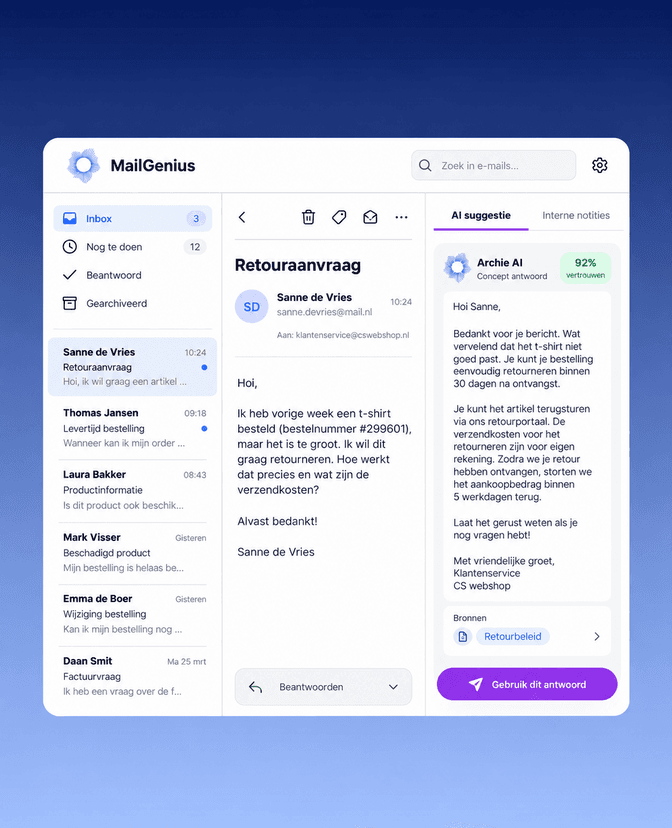
Archie MailGenius brings incoming emails, replies and follow-up questions together in one continuous conversation. From the shared inbox, teams can assign conversations, collaborate on drafts and monitor response times and SLAs. Conversations remain unread until someone actually opens them, and completed conversations only become active again through a deliberate reopen action.
MailGenius is fully available in German, French, Spanish, Italian and Turkish. AI-generated reply suggestions, source references and translation help employees respond faster. Improved IMAP and Microsoft 365 retrieval and more reliable attachment processing make the inbox safer and more predictable for international teams.
Shared triage inbox with ownership
Bundle incoming emails, replies and follow-up questions into one conversation with one status and one owner. Assign conversations to colleagues or take ownership yourself.
AI reply suggestions
Receive reply suggestions with a confidence indicator, so employees can quickly assess how much review is needed.
Sources and transparency
See which sources and AI actions were used to draft an answer.
Secure editing and translation
Work securely together on shared drafts with an editing lock, so colleagues do not overwrite each other’s changes. Edit and translate answers, check attachments before sending, and mask personal data before it is processed by AI.
Statuses, SLAs and conversation history
Track every conversation using statuses such as Open, In progress, Waiting for customer and Completed. Monitor response times and SLAs, and view all assignments, status changes and sending activities in the timeline. Failed or uncertain deliveries are clearly marked.
What can Archie do for your customer service?
Bring along a few common customer questions. Together with an Archie expert, discover how messaging, voice and email fit your team, systems and processes.